
Odoo Connectors: The Complete Guide to Connecting Odoo with External Systems
Muhammad Haroon
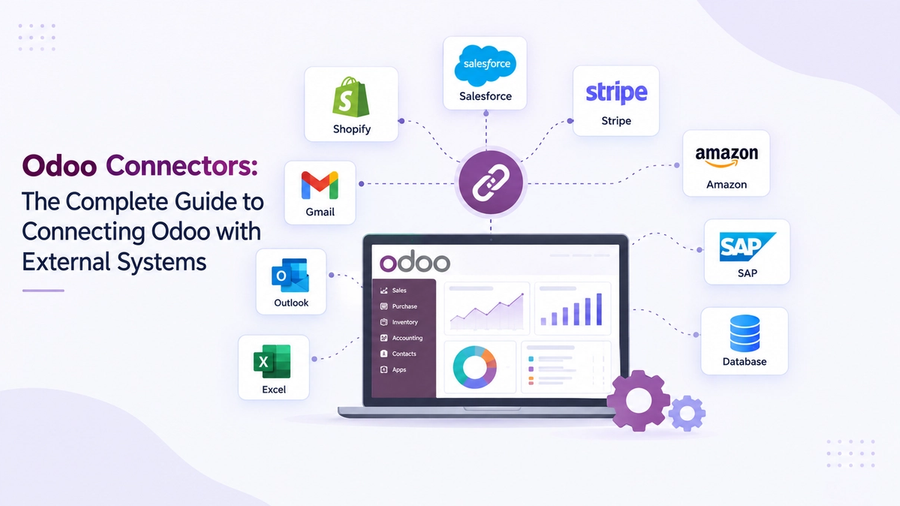
Odoo rarely works on its own. A typical Odoo setup can connect with an online store, payment gateway, shipping service, marketing platform, accounting software, or business intelligence dashboard. These connections use a connector, which allows Odoo and other systems to share data automatically and reliably instead of manually entering the same information in different places.
But how do you choose these connectors? Let’s discuss and show you the different ways to build one and the common mistakes that can cause an Odoo integration to fail.
What Is an Odoo Connector?
An Odoo connector is a tool or method that allows Odoo to exchange data with another system. It can be built into Odoo, custom-developed, or provided by a third-party service. The external system could be:
- An eCommerce platform such as Shopify, WooCommerce, Magento, or Amazon
- A CRM or marketing tool such as Salesforce, HubSpot, or Mailchimp
- An accounting or payment service such as QuickBooks, Stripe, or Plaid
- A shipping or logistics service such as FedEx, UPS, or ShipStation
- A business intelligence or reporting tool such as Power BI, Metabase, or Odoo Dashboards
- Another ERP system or a custom business application
Why do Businesses use Odoo Connectors?
The main job of a connector is to move and translate data between Odoo and the external system. For example, Odoo stores contacts as res.partner and sales orders as sale.order. A connector converts this data into the format the other system understands and keeps the information updated between both systems.
Odoo connectors can be simple like an automated action created in Odoo Studio or more advanced like a middleware system that connects Odoo with several other platforms. The right option depends on factors such as how much data you need to transfer, whether you need real-time updates, your team's technical skills, and your budget.
The Core Ways to Connect Odoo with External Systems
Odoo offers different ways to connect with other systems. You should Understand how each method works and help you choose an integration that remains reliable over time according to your business.
Odoo External API (XML-RPC and JSON-RPC)
Odoo's External API helps other applications connect with Odoo and manage data programmatically. It supports two main protocols:
- XML-RPC: A long-standing method that lets applications read, create, update, and delete Odoo records.
- JSON-RPC: Works in a similar way but uses JSON, which is easier for modern applications to handle.
Both methods use Odoo's ORM to access models such as contacts, sales orders, and invoices, based on the user's access permissions.
Important: On Odoo Online, External API access is available only on the Custom plan. It is not included with the One App Free or Standard plans, so check your Odoo plan before planning a custom integration.
Odoo's REST API (Odoo 19 and Later)
Odoo 19 introduced a native REST API based on the OpenAPI 3.0 standard. It also provides interactive API documentation, usually available at a path such as /api/docs.
This makes Odoo easier to connect with modern SaaS platforms, low-code tools, and integration services that already use REST and OpenAPI. As a result, developers need less custom work when building new integrations.
If you are starting a new Odoo integration and can use Odoo 19 or later, the REST API is a modern option to consider for your connector.
Webhooks: Event-Driven, Real-Time Automation
A webhook lets one system send data to another as soon as an event happens. Instead of Odoo checking for updates on a schedule, a webhook sends the information automatically when something changes.
Odoo Studio supports two main webhook directions:
- Inbound webhooks: An external system sends data to Odoo when an event happens like updating inventory after a sale is confirmed.
- Outbound automated actions: Odoo sends data to an external system when something changes in Odoo, such as sending an order update to a shipping platform.
Webhooks are useful when you need near real-time updates. Unlike scheduled actions that run at set times, webhooks respond directly to events.
You can set up some webhook connections between Odoo databases without coding but testing and custom logic need technical skills. Webhooks run automatically, that's why a wrong setup can quickly create incorrect data, so careful testing and developer support are recommended for important workflows.
Odoo Studio Automated Actions
Beyond webhooks, Odoo Studio's automated actions let you create simple no-code or low-code workflows. They can run when a record is created, updated, or meets a specific condition.
These actions can send emails, update fields, run Python code, or trigger webhooks. They are useful for Odoo admins who want to create basic integrations without writing external code.
Prebuilt Connectors and Marketplace Apps
Odoo has an active app marketplace and open-source community, including the Odoo Community Association (OCA), which provides prebuilt connectors for popular platforms.
These connectors already include most of the data syncing and mapping logic, so you usually only need to configure the connection and sync settings.
The main benefit is less development time. But the downside is that you have less control over how data is handled and may depend on the connector provider to update it when either platform changes its API.
Integration Platforms and iPaaS (Middleware)
Instead of building a separate connection between Odoo and each system, many businesses use an integration platform as a service (iPaaS). Popular options include Zapier, Make, n8n, Celigo, Boomi, MuleSoft, and unified API providers such as Apideck and Knit.
These platforms work between Odoo and your other systems and provide:
- Prebuilt connectors for many popular apps, which can greatly reduce development time.
- A unified data format, so you do not need to understand the data structure of Odoo, Shopify, QuickBooks, and other platforms separately.
- Virtual webhooks, which can help create near real-time updates when Odoo does not provide the required outbound webhook support. Some platforms do this by regularly checking Odoo for changes.
- Managed authentication, retries, and error handling help prevent data loss when a connection temporarily fails.
The main trade-offs are the subscription cost and less control compared with a fully custom connector. However, for businesses without in-house developers, an iPaaS can be a fast and practical way to build and maintain integrations.
Custom Middleware
If you want complex, high-volume, or highly specific integrations then your business often builds custom middleware. For example, if your company needs to sync thousands of products between Odoo and a custom warehouse system.
Custom middleware is a specialized service that links Odoo to other systems. It is frequently constructed using Python or Node.js. It can handle authentication, data mapping, data conversion, error retries, and logging.
This is the most flexible option but it also costs more to build and maintain. It makes sense when ready-made connectors cannot support your workflow, when multiple systems need to connect through one central hub, or when the amount and complexity of data require dedicated development.
Choosing the Right Odoo Connector Method: A Practical Framework
There is no single best way to connect Odoo with another system. The right option depends on five main factors:
Real-time needs. If data needs to update instantly like payments or orders, webhooks or event-based middleware are useful. If a daily or hourly update is enough, a scheduled API sync is simpler.
Technical skills. If your team has developers, you can build a custom integration using an API. If you do not have developers, a prebuilt connector or iPaaS tool like Zapier or Make can be easier.
Number of systems. Connecting Odoo to one system does not require middleware. If you need to connect Odoo with multiple systems then middleware can act as a central hub and make the setup easier to manage.
Data volume and complexity. If you have large product catalogs, multi-currency data, or complex product variations then you need custom data mapping that standard connectors cannot handle.
Budget and maintenance. A custom integration seems cheaper but it still requires developer time for updates and maintenance. A paid integration platform costs more upfront but can reduce long-term maintenance work.
Choose Business intelligence Odoo Dashboards:
Odoo Dashboards connect directly with Odoo to turn business data into clear dashboards, reports, and charts. It helps you track sales, revenue, invoices, customers, inventory, and other key metrics in one place. Because it works with Odoo data directly, you can view and analyze your business information without moving between different systems.
See Odoo Dashboards in action
Start a free 7-day trial and build your first dashboard in minutes — or book a walkthrough and we'll show you how your team would use it.