Record buttons
A record button adds a dashboard to the Action menu (the cog) of another Odoo model. When someone clicks it on a record, the dashboard opens with one of its global filters already set to that record.
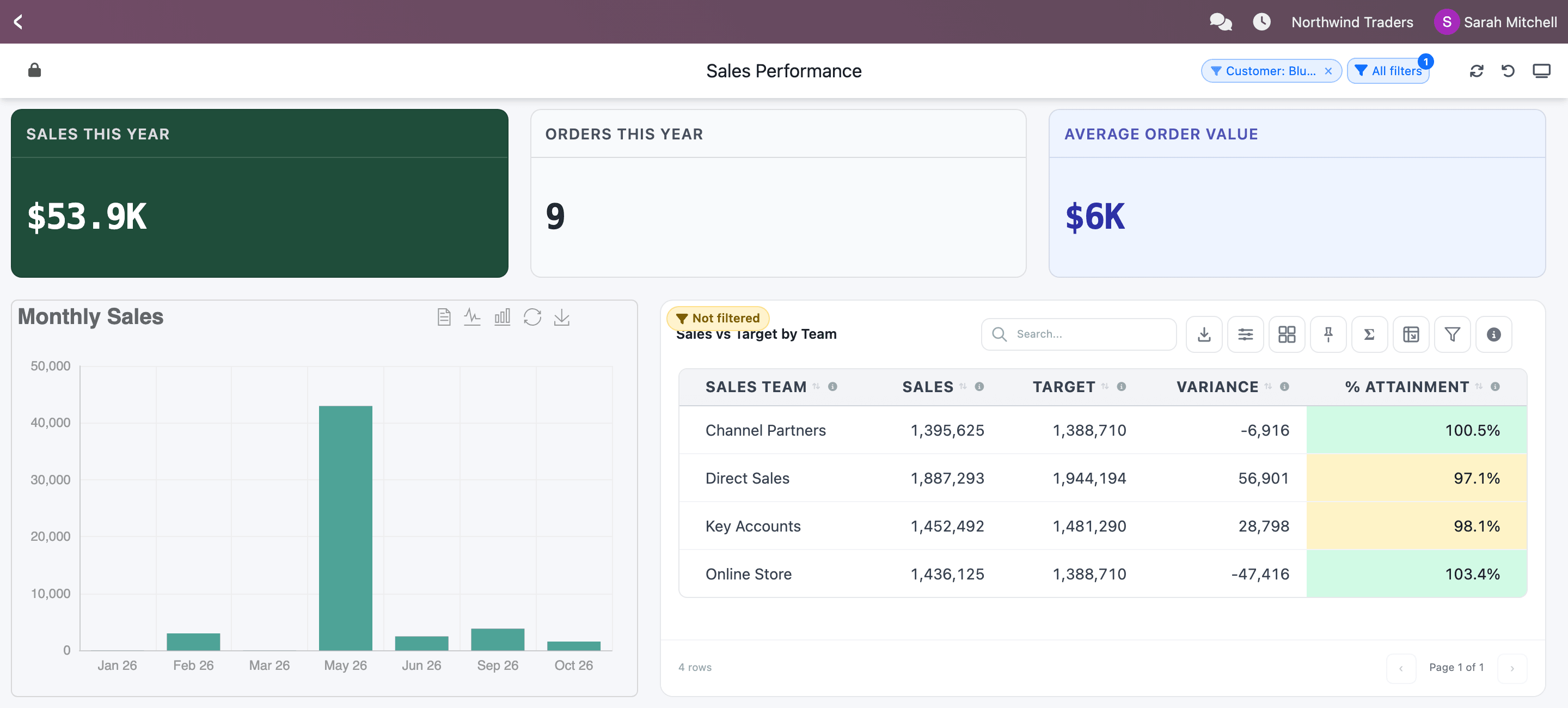
For example, the Sales Performance dashboard has a Customer global filter. With a record button on contacts, a salesperson looking at BlueCrest Retail clicks Action → Customer Sales and sees this year’s sales, orders and average order value for BlueCrest Retail only, without touching a filter.
Before you start
Section titled “Before you start”The dashboard needs a global filter on a related field: a column whose values are Odoo records, such as a customer, a product or a salesperson. In practice that means:
- the dataset is built on an Odoo model in the Dataset Builder (custom-query datasets don’t qualify, their columns aren’t linked to a model), and
- the global filter’s value source is a relational column (for example
customer_id, made from the order’s Customer field) or the dataset’sidcolumn.
Without such a filter, the Record Buttons section only says Add a global filter on a related field (e.g. Customer) first.
Add a record button
Section titled “Add a record button”-
Open the dashboard in the Dashboard Builder and click the cog in the top bar (Dashboard Settings).
-
Scroll down to Record Buttons and click Add button.
-
Type the Button label: the text people will see in the Action menu. If you leave it empty, the dashboard name is used.
-
In Show on, type the technical name of the model whose records get the button, for example
res.partnerfor contacts orsale.orderfor sales orders. Suggestions appear as you type. -
In Global filter, choose the filter the button fills in. Each option shows the filter’s label and, in brackets, the kind of record it expects, for example Customer (Contact).
-
In Value from, choose where the value comes from:
- The record itself when the button is on the same kind of record the filter expects (a button on contacts for a customer filter);
- otherwise a field of that record that points to the right kind of record, for example Customer (partner_id) on a sales order. No matching field means the model has no such field.
-
Click Save Settings.
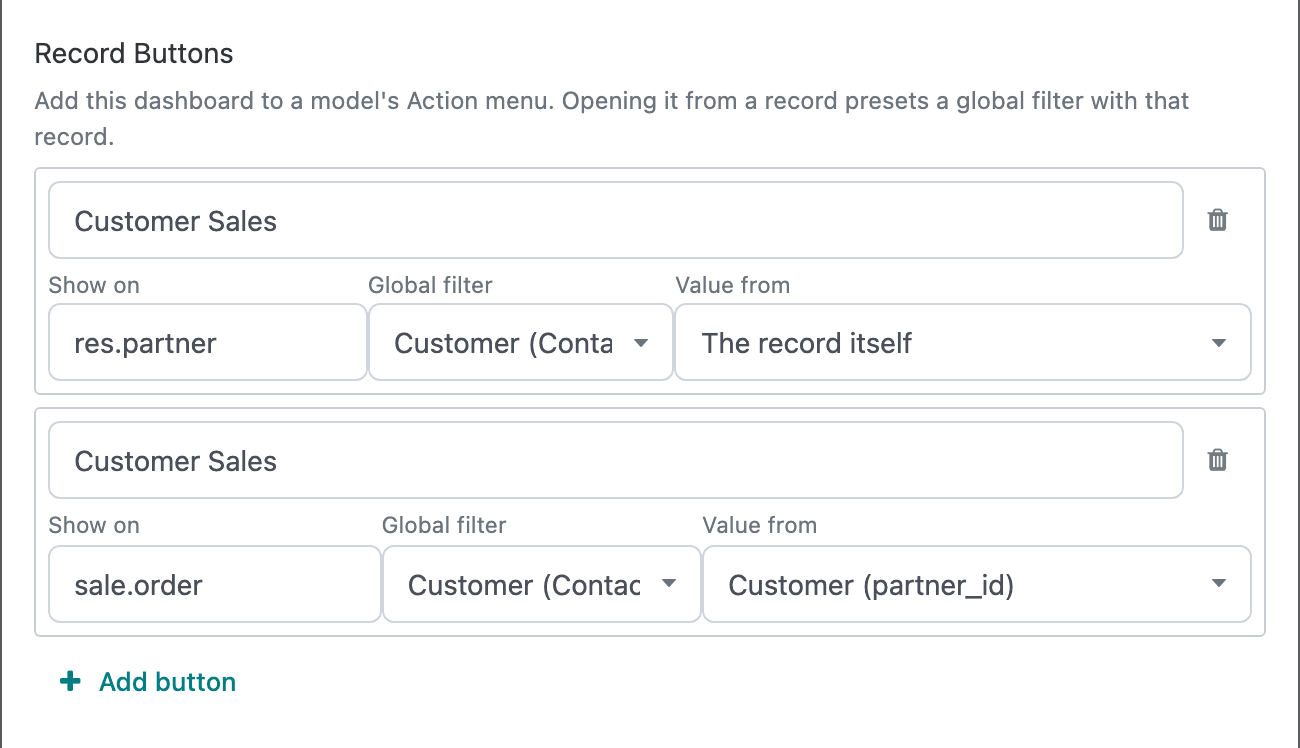
You can add several buttons to one dashboard, on different models or for different filters. To remove one, click its trash icon and save.
What people see
Section titled “What people see”The button appears in the Action menu of the chosen model, on the form and in the list view. People may need to reload the page after you save.
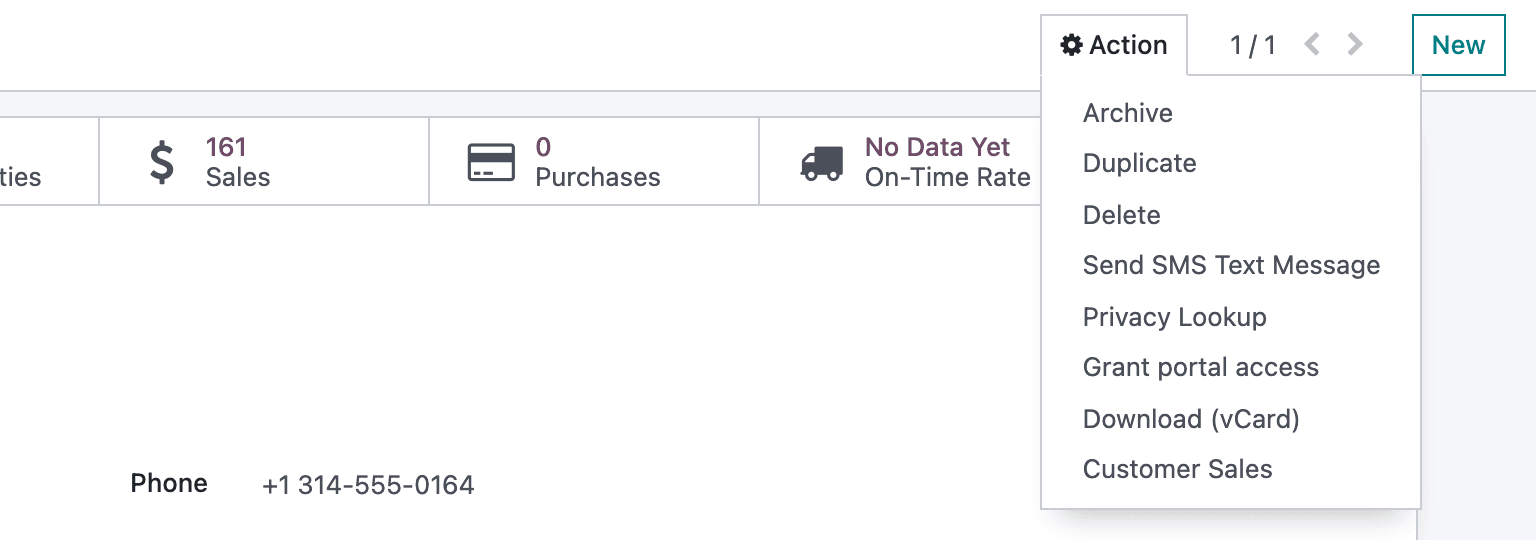
Clicking it opens the dashboard in place of the record, with the global filter set to that record. The filter chip in the header shows the value, and the widgets the filter drives show only that record’s data.
Good to know:
- Widgets that the global filter doesn’t drive keep showing all data and get a yellow Not filtered badge, as in any filtered view.
- People can change or clear the filter afterwards like any other filter.
- In a list view, select several records and click the button to open the dashboard filtered to all of them at once.
- Reloading the browser page keeps the dashboard open but goes back to the filter’s default value.
- If the field in Value from is empty on a record, the button shows There is no … on this record to analyse. instead of opening the dashboard.
Who sees the button
Section titled “Who sees the button”The button follows the dashboard’s access list: it shows for the people and groups the dashboard is shared with. When the dashboard is made inactive (Dashboard Settings → Active), its buttons disappear from every Action menu until you reactivate it.
Saving record buttons needs the right to change the dashboard.