

Drilldown
A number on a dashboard raises the next question: which orders make up that bar? With drilldown on, viewers click the bar and Odoo opens exactly those records, in the usual list and form views.
Which widgets support it
Section titled “Which widgets support it”| Widget | How the viewer drills down | In-line option |
|---|---|---|
| Tile | Click the arrow icon in the tile’s header | No |
| Vertical Bar, Horizontal Bar, Line Chart, Area Chart | Click a bar or point | Yes |
| Doughnut, Funnel | Click a slice or band | Yes |
| Heatmap | Click a day (days with no records do nothing) | Yes |
| Table | Click a detail row (see Row actions for working on several rows) | Yes |
| Map, Pivot Table, Matrix Report, Sticky Note | Not available |
On stacked charts and charts sorted in the browser, the click opens the records of the bar you clicked, whatever its position.
Turn it on
Section titled “Turn it on”-
Open the widget in the Dashboard Builder and go to the Configuration tab.
-
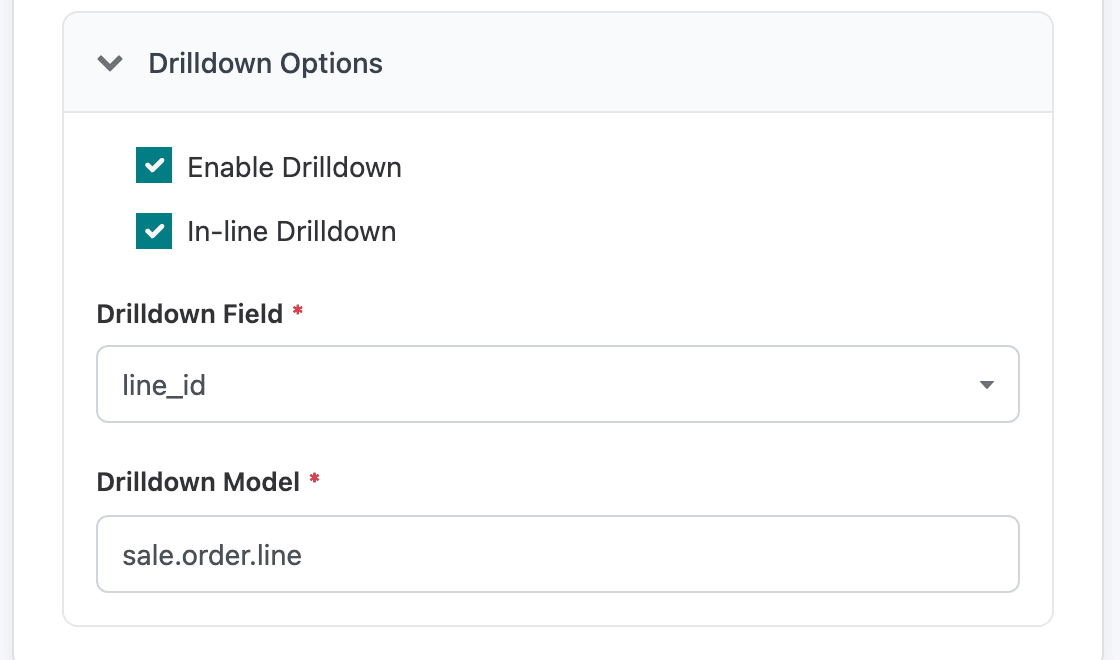
Expand Drilldown Options and tick Enable Drilldown.
-
Check the Drilldown Field: the column that holds the record ids. On a dataset built from an Odoo model it is set to
idfor you, and the records open in that model. -
Tick In-line Drilldown to open the records in a window over the dashboard instead of in place of it.
-
Click Save & Preview.
Opening other records
Section titled “Opening other records”The Drilldown Field can be any column that holds record ids, not just id:
- A many-to-one field, such as the customer or the product: the click opens those customers or products instead of the dataset’s own records. The model is worked out from the field.
- A plain number or text column that holds ids: a Drilldown Model box appears. Type the technical name of the model the ids belong to, such as
sale.order.lineorres.partner.
Custom SQL datasets
Section titled “Custom SQL datasets”A custom SQL dataset isn’t tied to a model, so the builder can’t guess where its ids belong. Select the record id in the SQL under a name that says what it is, such as l.id AS line_id, pick it as the Drilldown Field and fill in the Drilldown Model. The Top 10 Products chart does this to open sale order lines.
Don’t name the column plain id in a custom SQL dataset: the builder treats id as the model’s own id and doesn’t offer Drilldown Model for it.
What the viewer sees
Section titled “What the viewer sees”By default, the records open as a list in place of the dashboard. The breadcrumb at the top leads back, with the filters the viewer had picked still applied.
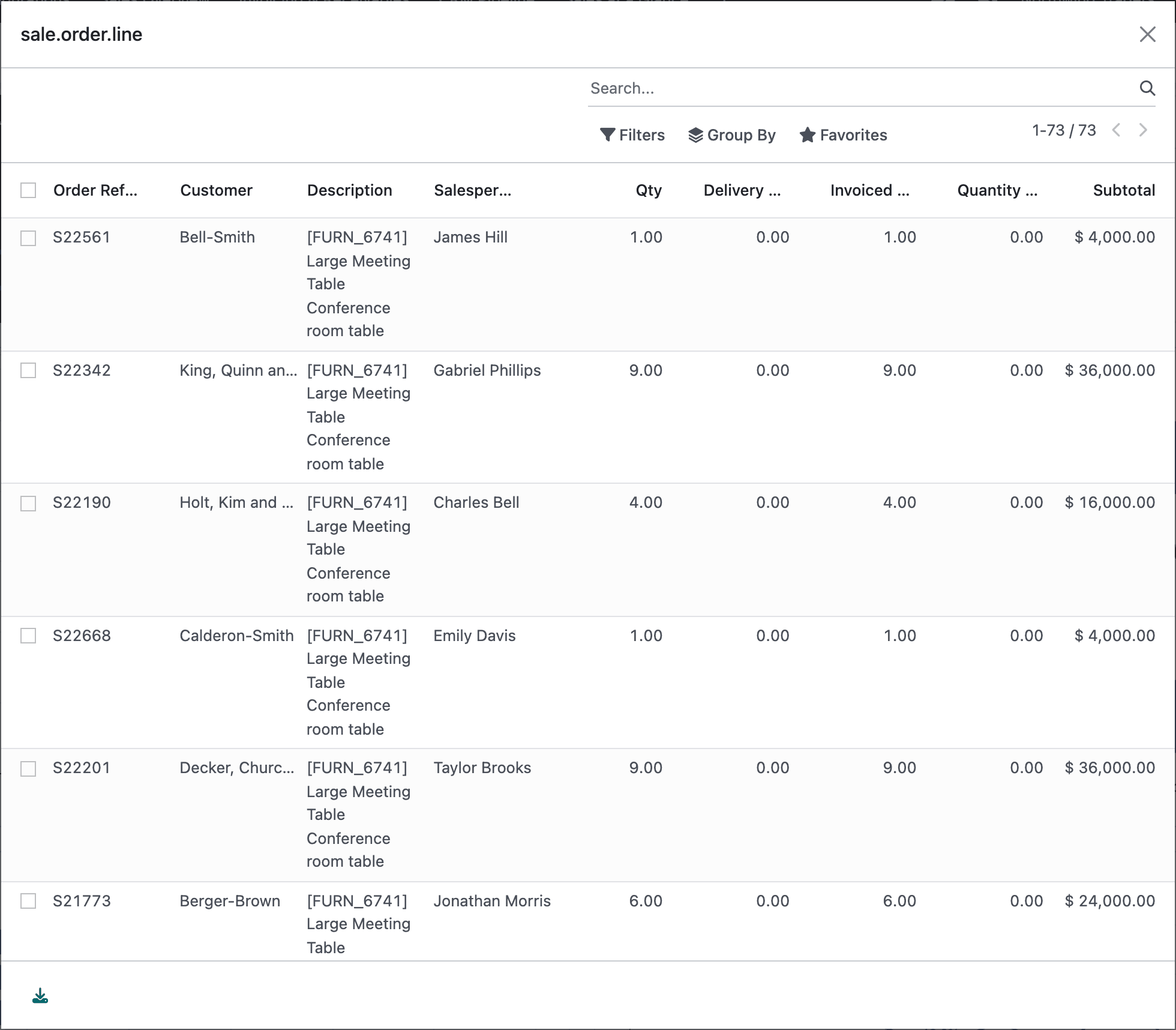
With In-line Drilldown, they open in a window over the dashboard, as a list; click a record to see its form, and close the window to get back.
Good to know:
- The window’s title is the technical model name, such as
sale.order.line. - Records open in the model’s standard list and form views.
- Archived records are included, so the count matches the number on the chart.
- Drilldown is switched off in the builder’s preview; try it on the dashboard.