

Filters overview
Filters decide which rows a widget counts. Some are fixed by the person who builds the dashboard, such as “confirmed orders only”. Others are controls that viewers change on the dashboard, such as a sales team or a date range.
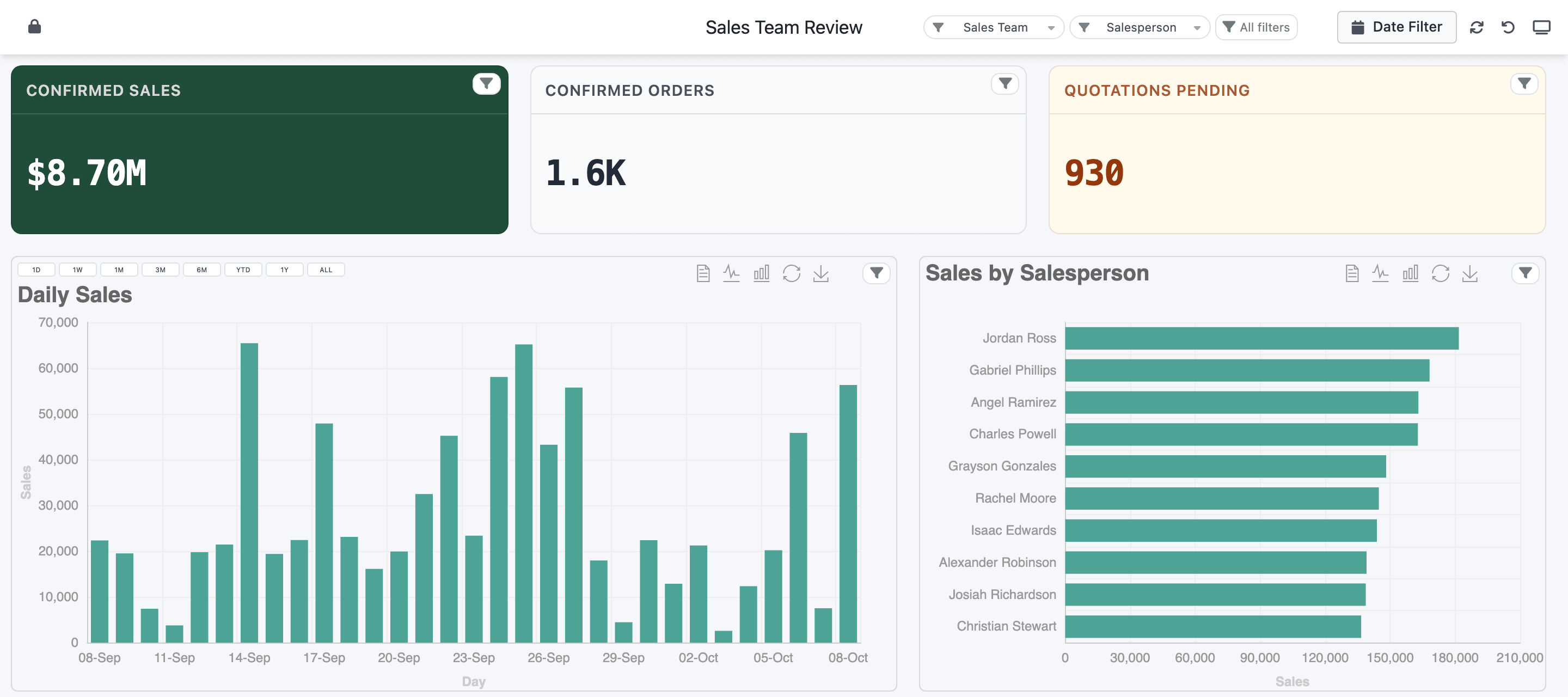
- Global filters
- Date Filter
- Widget filters
- Quick-date buttons
Three levels
Section titled “Three levels”| Level | Where it’s set up | What it affects |
|---|---|---|
| Widget filters | The widget’s Filters tab in the Dashboard Builder | That one widget. Each filter is either fixed (always applied, invisible) or shown to viewers as a control on the widget. |
| Global filters | The builder’s Global Filters button | The widget filters you link to them, on any number of widgets. Viewers use them from the dashboard header. |
| Date Filter | Dashboard Settings → Enable Global Date Range Filter | The first shown date filter of every widget, from one date picker in the header. |
Charts and tables can also show quick-date buttons (1D, 1W, 1M, 3M, 6M, YTD, 1Y, ALL) that set the widget’s date filter in one click. See Date filters.
Filters live on the widget
Section titled “Filters live on the widget”Every filter is a filter line on a widget: a column, an operation and, usually, a value. A dataset only supplies the columns; it doesn’t hold the widget filters, so two widgets on the same dataset can filter differently.
The higher levels reuse those lines rather than adding new conditions:
- A global filter narrows a widget only through a filter line on that widget that you linked to it. A widget with no linked line isn’t filtered, and shows a Not filtered badge while the global filter is in use.
- The Date Filter and the quick-date buttons drive the widget’s first date filter that has Show in Dashboard ticked. A widget without one ignores them.
So when a header filter doesn’t change a widget, the fix is on that widget’s Filters tab.
How filters combine
Section titled “How filters combine”- Different filter lines are combined with AND. Status Sales Order and Sales Team Key Accounts means orders that match both.
- Several values picked in one filter are combined with OR. Picking Quotation and Quotation Sent in the Status filter shows rows with either status.
- A viewer’s pick replaces that filter’s saved default value; it doesn’t add to it.
- A global filter’s value goes through the linked line’s own operation, the same way a pick on the widget would.
A filter line can be joined to the next one with OR instead (Use OR Logic), but read the caution about it first.
How long a viewer’s picks last
Section titled “How long a viewer’s picks last”Nothing a viewer picks is saved to the server.
- Picks stay while you work in the same browser tab: open a record from a drilldown, go to another menu and come back, and the dashboard still shows the same filters.
- Reloading the page clears them, and the dashboard opens with the builder’s defaults again.
- Applying a global filter or the Date Filter clears every pick made on individual widgets.
- Refresh in the header reloads the data and keeps the current filters. Reset to Default View resets the layout, not the filters.
In this section
Section titled “In this section”- Widget filters: adding filters to a widget, and what viewers see.
- Filter values: default values, and where a filter’s list of values comes from.
- Global filters: one filter in the header that drives many widgets.
- Date filters: the Date Filter, quick-date buttons, ranges, single dates and date tokens.
- Operators: every operation, by field type.