

Top N per group
Limit Data keeps the first N rows of a whole table: the top 10 products. Sometimes you want the top N within each group instead: the three best sellers of every sales team, the last five orders of every customer, the latest price paid for each product. That’s what Limit Rows Per and Max Rows Per Group do.
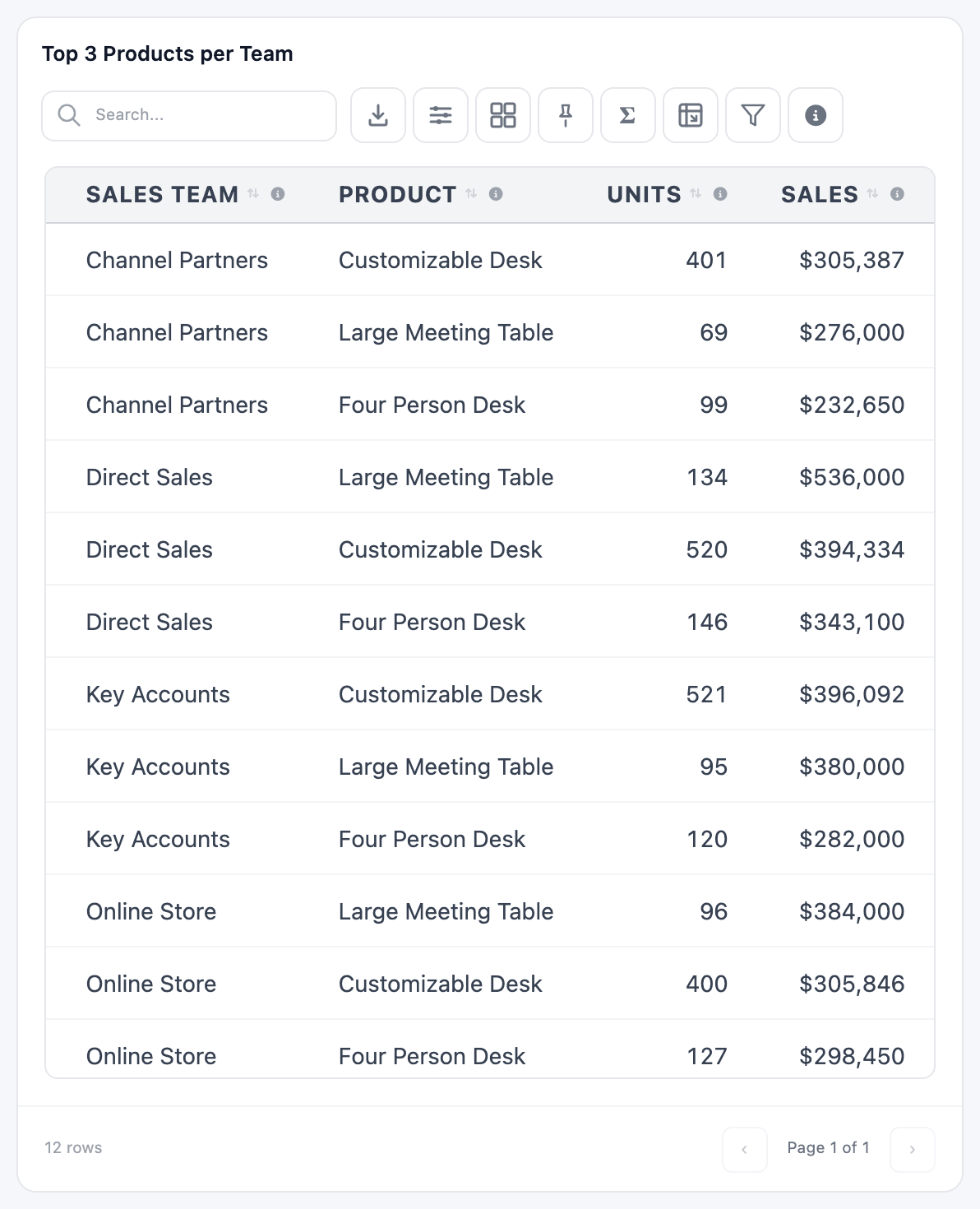
Top 3 Products per Team shows each sales team’s three best-selling products over the last 12 months:
Set it up
Section titled “Set it up”The table has Sales Team, Product, Units (SUM(quantity)) and Sales (SUM(sales_amount)) columns. Then, on the Configuration tab:
-
Group By:
sales_teamandproduct, so there is one row per team and product. -
Order By:
sales_team, then the Sales column. Tick Order Descending. -
Limit Rows Per:
sales_team. This is the group each “top 3” is counted in. -
Max Rows Per Group:
3. -
Click Save & Preview.
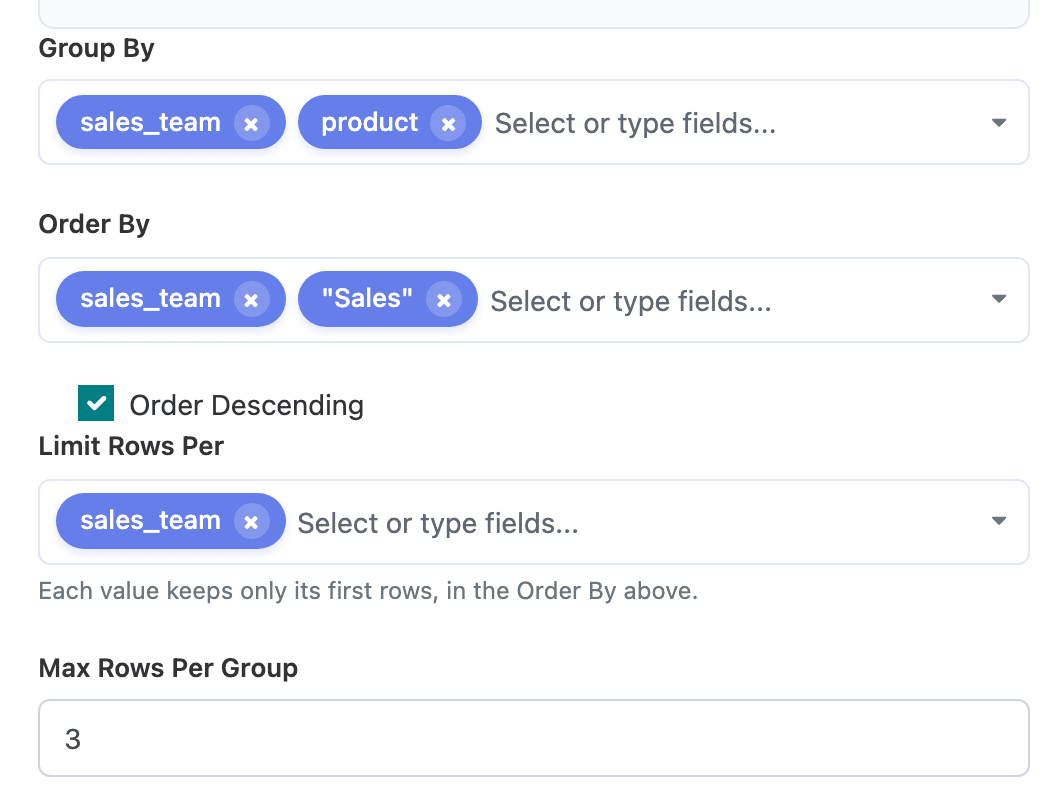
Order By decides which rows count as “first” in each group. Here Order Descending applies to the last field, Sales, so each team’s biggest sellers come first. The sales_team before it stays A to Z, which also keeps each team’s rows together in the table.
Without the team in Order By, the cut is the same (it’s always made per team), but the twelve rows come out in one list sorted by sales, with teams mixed together.
The rules
Section titled “The rules”- Order By is required. Without it, “first” means nothing and the builder shows Set “Order By” so each group knows which rows come first.
- Limit Rows Per needs at least one field, unless Max Rows Per Group is
0. Otherwise: Pick the field to limit rows per, or set Max Rows Per Group to 0. - In a summarised table, the Limit Rows Per fields must also be in Group By: Fields you limit rows per must also be in “Group By” when columns are summarized.
- Max Rows Per Group set to
0turns the feature off and shows every row. - You can list several fields in Limit Rows Per. Each combination of their values is one group, for example the top 3 products per team and per month.
- When two rows tie on the Order By values, which one makes the cut isn’t defined. Add a second field to Order By to break ties.
The cut happens in the database, before the rows reach the browser, so search, totals and exports only ever see the rows that were kept.
More examples
Section titled “More examples”| Question | Limit Rows Per | Order By | Order Descending | Max Rows Per Group |
|---|---|---|---|---|
| Each customer’s last 5 orders | customer |
order_date |
ticked | 5 |
| Each product’s latest purchase price | product |
date_order |
ticked | 1 |
| Each salesperson’s 3 smallest deals | salesperson |
the amount | unticked | 3 |
The first two can be plain-row tables (no Group By): each row is an order or a purchase line, and the table keeps the newest ones per customer or product.